


 English
 русский
Industry News

How to Check if an RF Coaxial Adapter Is Damaged?
 2026.03.19
 Industry News
A damaged RF Coaxial Adapter can be identified through four primary methods: visual inspection of the connector body and center pin, continuity testing with a multimeter, impedance or return loss measurement with a vector network analyzer (VNA), and signal performance comparison in-circuit. In most field situations, a systematic visual inspection combined with a basic multimeter check will catch over 80% of adapter faults before they cause system-level failures. For precision applications — test equipment, antenna systems, or microwave circuits — VNA-based return loss measurement is the definitive verification method, as it reveals degraded performance that visual checks cannot detect.
Content
- 1 Why RF Coaxial Adapter Damage Matters More Than It Appears
- 2 Step 1 — Visual Inspection: What to Look For and Where
- 3 Step 2 — Multimeter Testing: Continuity and Isolation Checks
- 4 Step 3 — VNA Measurement: Quantifying RF Performance Degradation
- 5 Damage Patterns Specific to Male To Female RF Coaxial Adapters
- 6 Inspecting 4 Hole Flange Adapters: Additional Checks for Panel-Mount Types
- 7 Common Damage Causes and How to Prevent Them
- 8 Frequently Asked Questions
Why RF Coaxial Adapter Damage Matters More Than It Appears
An RF Coaxial Adapter that appears functional to casual inspection can degrade signal integrity significantly before it fails outright. At RF and microwave frequencies, even minor physical deformation — a slightly bent center pin, oxidized contact surface, or microscopic crack in the dielectric — creates impedance discontinuities that cause signal reflections, insertion loss increases, and intermodulation distortion. These effects compound with frequency: a fault that produces 0.1 dB insertion loss at 1 GHz may produce 0.5–1.5 dB loss at 10 GHz under the same physical condition.
In practical terms, an undetected damaged adapter in an RF chain can cause symptoms that appear to be equipment faults — receiver sensitivity degradation, transmitter output loss, intermittent connectivity — leading to costly and time-consuming troubleshooting of the wrong components. Early and accurate adapter inspection is a fundamental RF maintenance discipline.
Fig. 1 — Typical insertion loss increase (dB) vs. frequency for common RF coaxial adapter damage types
Step 1 — Visual Inspection: What to Look For and Where
Visual inspection is the first and fastest diagnostic step. Use a magnifying loupe (at least 10×) or a dedicated connector inspection microscope for precision connectors. Inspect the following specific areas on every RF Coaxial Adapter:
Center Pin and Socket
- Bent or offset center pin: The pin must be perfectly centered within the outer conductor. Any lateral deflection — even 0.1 mm on precision SMA connectors — indicates damage and impedance mismatch. On a Male To Female RF Coaxial Adapter, check the male pin for straightness and the female socket for spread or collapsed tines.
- Missing or shortened pin: A recessed or broken pin will not make proper contact with the mating connector's socket, causing intermittent or total signal loss.
- Contamination on contact surfaces: Foreign particles (solder balls, metal filings, debris) on the center pin or socket create intermittent shorts or high-resistance contact points. Even a single conductive particle can cause measurable signal degradation at microwave frequencies.
Dielectric (Insulator)
- Cracks or fractures: The white PTFE or polymer dielectric visible around the center pin should be smooth and unbroken. Any visible crack indicates compromised impedance stability — the dielectric gap directly sets the 50Ω impedance of the transmission line.
- Recessed or pushed-in dielectric: If the dielectric face is not flush with the reference plane of the connector, the mating gap will be incorrect, creating a significant impedance discontinuity.
- Discoloration or burn marks: Yellowing or charring of the dielectric indicates thermal stress from overpower conditions or arcing — the adapter must be replaced.
Outer Conductor and Body
- Corrosion or oxidation: Greenish or dark surface oxidation on the contact mating surfaces significantly increases contact resistance. Even light surface tarnish on silver-plated connectors can add 0.2–0.5 dB insertion loss at higher frequencies.
- Deformed or out-of-round outer shell: Crushing or ovalization of the outer conductor changes the coaxial geometry and creates unpredictable impedance variations along the adapter length.
- Thread damage: Crossed, stripped, or partially engaged threads on the coupling nut prevent proper mating torque, leaving the connector interface mechanically loose. On panel-mount types such as a 4 Hole Flange Adapter, also inspect the flange mounting face for deformation and check all four mounting holes for thread integrity.
Step 2 — Multimeter Testing: Continuity and Isolation Checks
A digital multimeter provides two fast, instrument-level tests that complement visual inspection. These tests do not require RF signal — they verify the DC electrical integrity of the adapter's two conductors.
Center Conductor Continuity Test
- Set the multimeter to continuity or resistance (Ω) mode.
- Place one probe on the center pin of one port and the other probe on the center pin or socket of the opposite port.
- Expected result: near-zero resistance (typically under 0.5Ω) and a continuity beep. A reading above 1Ω indicates a damaged or oxidized center conductor path.
- Flex the adapter gently while probing — an intermittent reading that changes during flexing confirms a cracked or broken internal conductor.
Center-to-Outer Isolation Test
- Place one probe on the center pin and the other on the outer body/shell of the adapter.
- Expected result: open circuit (infinite resistance, no continuity beep). Any measurable resistance or continuity between center and outer conductor indicates a short — either a conductive contaminant bridging the dielectric, a cracked dielectric with internal short, or physical damage causing the center conductor to contact the outer shell.
- On a Male To Female RF Coaxial Adapter, perform this test on both the male and female port ends independently.
Note: A multimeter cannot assess RF performance — an adapter that passes both multimeter tests may still exhibit poor return loss or elevated insertion loss at high frequencies due to mechanical deformation of the transmission line geometry. Multimeter testing is a pass/fail screen for gross electrical faults only.
Step 3 — VNA Measurement: Quantifying RF Performance Degradation
A vector network analyzer (VNA) is the definitive tool for assessing RF coaxial adapter condition. Two S-parameter measurements characterize adapter performance completely: S11 (return loss / reflection) and S21 (insertion loss / transmission).
Return Loss (S11) — Detecting Impedance Discontinuities
Return loss measures what fraction of the incident signal is reflected back from the adapter — a direct indicator of impedance match quality. A good-quality RF Coaxial Adapter should achieve return loss better than −20 dB across its rated frequency range (equivalent to less than 1% reflected power). Damaged or degraded adapters typically show return loss degrading to −15 dB, −10 dB, or worse at affected frequencies — with poor return loss appearing as sharp dips in the S11 trace at specific frequencies where resonances occur.
Insertion Loss (S21) — Measuring Signal Path Loss
Insertion loss measures how much signal power is lost passing through the adapter. Reference values for a quality adapter by connector type are shown in the table below. Measurements significantly above these values at any frequency within the rated band indicate damage.
| Connector Type | Frequency Range | Typical Good Insertion Loss | Suspect Threshold | Min Return Loss (Good) |
|---|---|---|---|---|
| SMA | DC – 18 GHz | < 0.3 dB @ 18 GHz | > 0.6 dB | −20 dB |
| N-type | DC – 11 GHz | < 0.15 dB @ 10 GHz | > 0.4 dB | −23 dB |
| BNC | DC – 4 GHz | < 0.2 dB @ 3 GHz | > 0.5 dB | −18 dB |
| TNC | DC – 11 GHz | < 0.2 dB @ 10 GHz | > 0.5 dB | −22 dB |
| 3.5 mm / 2.92 mm | DC – 34/40 GHz | < 0.5 dB @ 34 GHz | > 1.0 dB | −25 dB |
Damage Patterns Specific to Male To Female RF Coaxial Adapters
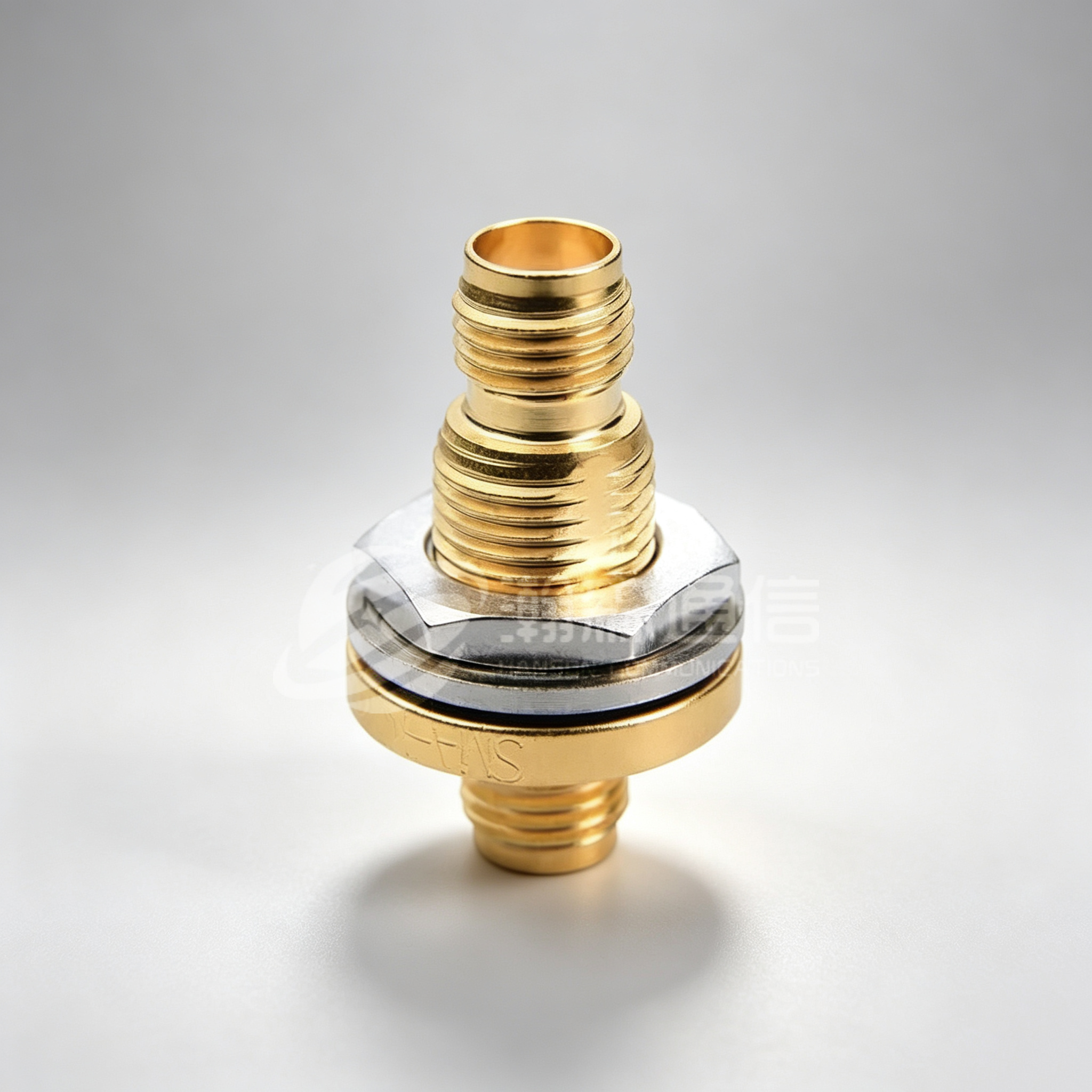
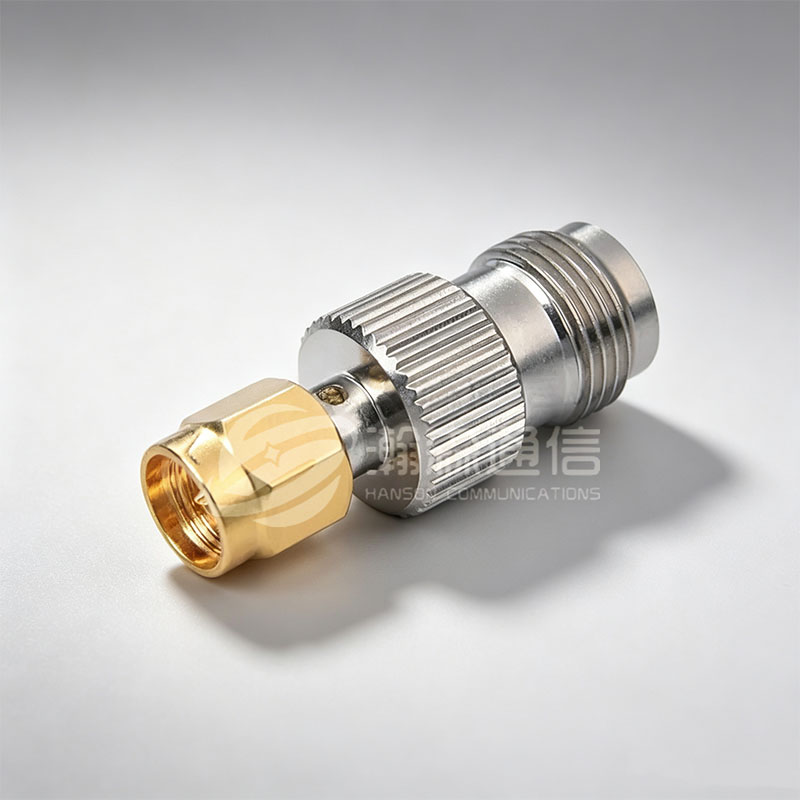
A Male To Female RF Coaxial Adapter — the most commonly used adapter configuration for extending, converting, or reversing connector gender in RF systems — is subject to specific failure modes related to its dual-interface construction.
- Female socket tine collapse: The female end's center socket consists of spring tines that grip the mating male pin. Repeated insertion cycles, or a single over-torqued mating event, can permanently collapse or spread these tines, resulting in low contact force, high contact resistance, and intermittent connection. Inspect tines under magnification — they should be uniformly spaced and spring back to position when gently deflected.
- Male pin damage from mismatched mating: Connecting a male adapter pin to an incompatible socket type (e.g., attempting to mate SMA male to a 3.5 mm socket without a proper transition adapter) deforms the pin beyond recovery. Always verify connector type compatibility before mating.
- Differential wear from repeated cycling: Industry guidelines specify that high-precision SMA adapters are rated for approximately 500 mating cycles; standard commercial SMA for 200–500 cycles. Track cycle counts on adapters used as calibration or test standards and retire at the rated limit.
- Body rotation under load: If the adapter body rotates when torque is applied to the coupling nut (rather than the nut rotating around a fixed body), the internal conductor assembly is loose — a structural failure that causes center conductor misalignment.
Inspecting 4 Hole Flange Adapters: Additional Checks for Panel-Mount Types
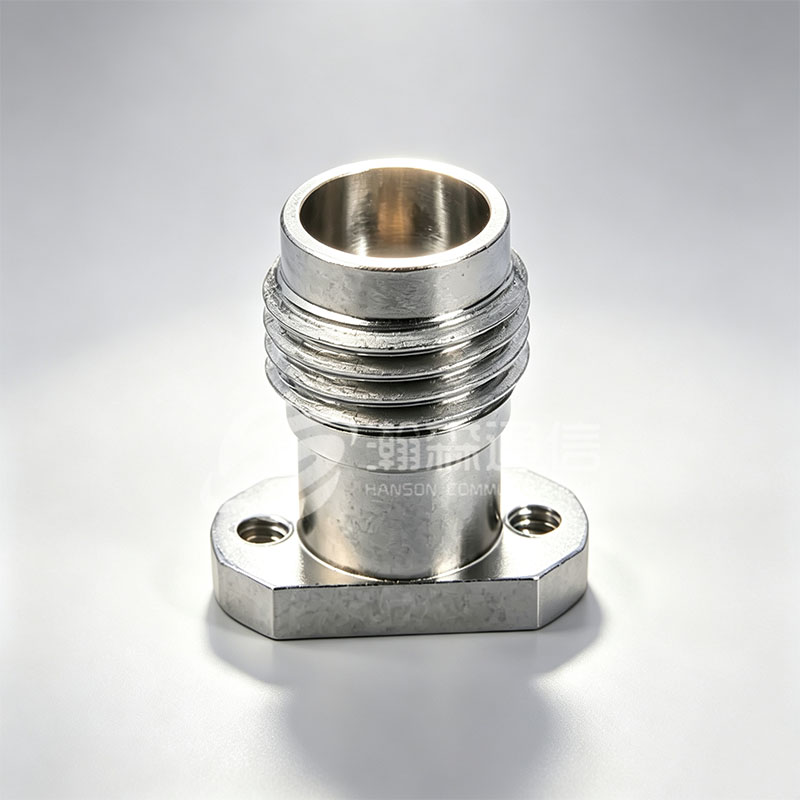
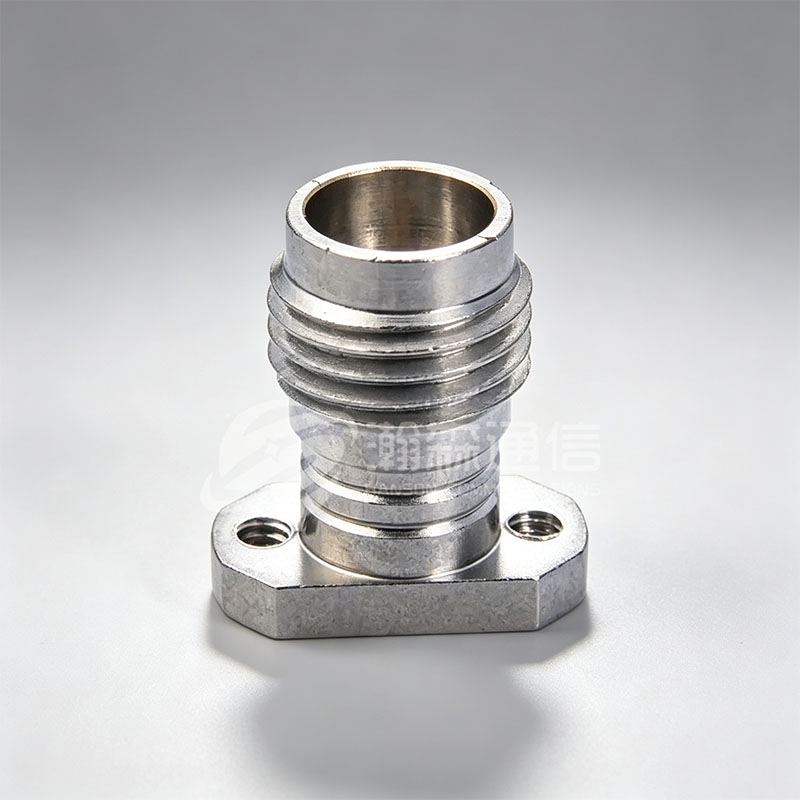
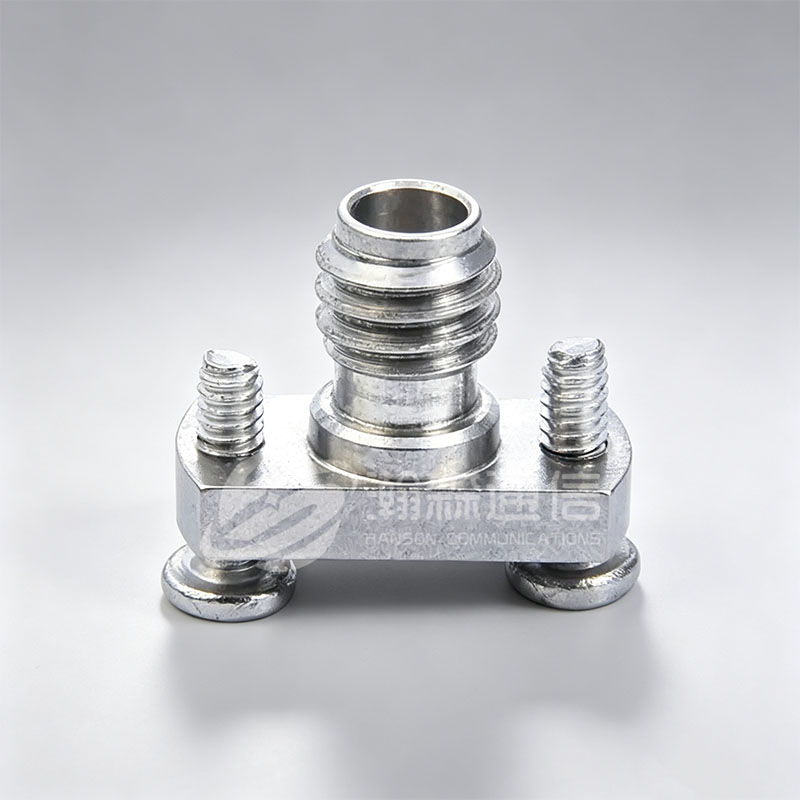
A 4 Hole Flange Adapter introduces additional failure modes specific to its panel-mount mechanical interface, beyond the connector-interface checks applicable to all coaxial adapters.
- Flange face flatness: The flange mounting face must be flat to ensure the connector sits flush against the panel. A warped or bent flange places mechanical stress on the connector body during installation, distorting the coaxial geometry. Check flatness with a precision straightedge — any visible gap indicates deformation.
- Mounting hole thread condition: All four mounting holes should have clean, complete threads. Damaged threads in even one hole create uneven clamping force that stresses the flange differentially, potentially misaligning the RF interface. Use a thread gauge to verify all four holes before installation.
- Gasket or O-ring seat integrity: Many panel-mount flange adapters used in hermetic or weatherproof enclosures include a sealing groove on the flange face. Inspect this groove for nicks, scratches, or debris that would prevent an effective environmental seal.
- Body-to-flange solder joint or press-fit integrity: In some 4 hole flange adapter constructions, the RF connector body is soldered or press-fitted into the flange plate. Inspect this joint for separation, cracking, or rotation — a loose body-to-flange joint creates mechanical instability at the RF interface under vibration or thermal cycling.
- Panel contact surface condition: Corrosion or paint overspray on the flange contact surface can create a DC ground path problem — particularly relevant for adapters used in grounded enclosures where the flange provides the RF ground reference.
Common Damage Causes and How to Prevent Them
Understanding what damages RF coaxial adapters is as important as knowing how to detect damage. Most adapter failures are preventable through correct handling and maintenance practices.
Fig. 2 — Primary causes of RF coaxial adapter damage (% of field failures reported)
The single largest cause of adapter damage — over- or under-torquing — is entirely preventable with a torque wrench. Correct torque values by connector type: SMA: 0.9 N·m (8 in-lb); N-type: 1.36 N·m (12 in-lb); TNC: 0.9 N·m (8 in-lb); 3.5 mm: 0.9 N·m (8 in-lb). Never use pliers or uncontrolled force on precision RF connectors.
Frequently Asked Questions
In most cases, a damaged RF Coaxial Adapter should be replaced rather than repaired. The coaxial geometry of an adapter — center pin position, dielectric dimensions, outer conductor concentricity — is manufactured to tolerances of ±0.01 mm or tighter on precision types, and any attempt to mechanically correct a bent pin or re-form a collapsed socket tine cannot restore these tolerances reliably. Surface contamination (oxidation, debris) can sometimes be addressed with appropriate connector cleaning solvents and lint-free swabs, but this applies only to mild surface tarnish — not to physical deformation or cracked dielectrics. For any adapter used in calibrated test setups or high-frequency applications, replacement is always the correct action once damage is confirmed.
Use only isopropyl alcohol (IPA) at 99% concentration applied with a lint-free foam swab or optical-grade cleaning stick. Never use abrasive cloths, cotton swabs (which leave fibers), or compressed air cans that contain propellant residue. Apply IPA to the swab — not directly to the connector — and clean the center pin, socket, and outer contact surfaces with a gentle rotational motion. Allow complete evaporation (typically 30–60 seconds) before mating. For debris in the female socket, a dedicated connector cleaning pen with a precisely sized tip is the preferred tool. Never probe the interior of a female socket with metal tools.
Rated mating cycles vary significantly by connector type and quality grade. Standard commercial SMA connectors are typically rated for 200–500 cycles; precision SMA (such as those used in test equipment) for approximately 500 cycles; N-type connectors for 500–1,000 cycles; BNC for 500+ cycles. In practice, adapters used in test setups where connectors are mated and unmated daily should be tracked and replaced proactively at around 80% of their rated cycle count to avoid performance degradation before visible failure. For Male To Female RF Coaxial Adapters used as permanent interface adapters (mated once and left connected), cycle count is rarely the limiting factor — mechanical stress and environmental exposure become the primary concerns.
Always use a calibrated torque wrench sized for the connector. Standard specifications: SMA — 0.9 N·m (8 in-lb); N-type — 1.36 N·m (12 in-lb); TNC — 0.9 N·m (8 in-lb); 3.5 mm — 0.9 N·m (8 in-lb); 2.92 mm — 0.9 N·m (8 in-lb). Hand-tightening is only appropriate for BNC bayonet connectors (no thread torque required) and as a preliminary step before torque-wrench final tightening on threaded types. Over-torquing is the most common single cause of RF connector damage — it deforms the dielectric, stretches coupling nut threads, and permanently offsets the center conductor.
Yes. In addition to all standard RF connector interface checks, a 4 Hole Flange Adapter requires inspection of the flange face flatness, all four mounting hole threads, and the integrity of the body-to-flange mechanical joint. A critical additional check is verifying that the connector body does not rotate relative to the flange under hand torque — any rotation indicates a loose press-fit or failed solder joint that will cause RF performance instability under vibration. Before installation, verify the mounting panel surface is clean and flat where it contacts the flange, as surface contamination or panel deformation creates uneven clamping stress that can distort the adapter geometry and degrade RF performance even on an undamaged adapter.
Looking For Business Opportunity?
Request for a call today
-

+86-15715730755
-

-

No. 1, Longcao Road, Dongqian Lake Tourism Resort Industrial Zone, Yinzhou District, Ningbo City, Zhejiang, China.
Message
Copyright © Ningbo Hanson Communication Technology Co., Ltd.
